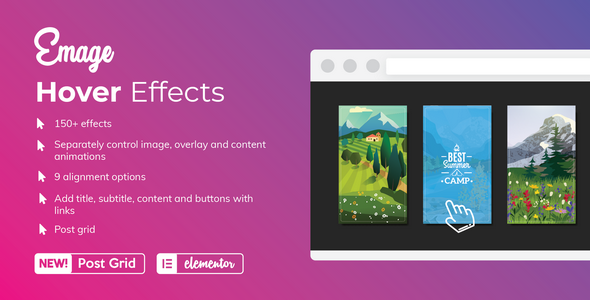
Emage is an image hover effects addon for Elementor that lets you turn ordinary pictures into interactive, eye-catching elements, without writing any code. Its main strength is freedom: every element on your page can have its own independent effect, so your design never ends up looking repetitive.
A Huge Library of Hover Effects
Choose from a wide collection of effect families, including blinds, blocks, book, cube, flip, fold, shutter, slide, zoom, pixel, blur and many more. Each family comes with several variations, so you can find the right motion for any style, from subtle and elegant to bold and playful.
Combine Effects for a Unique Look
Go beyond presets by combining different effects to create transitions that are truly your own. Emage gives you plenty of room to experiment, so your site stands out from others using the same addon.
Effects for Content, Not Just Images
Hover animations aren’t limited to pictures. Apply them to headings, descriptions, buttons and call-to-action blocks to build interactive cards, promo banners and product highlights that react to your visitors’ mouse movement.
Ready-Made Layouts for Common Use Cases
- Image galleries with an optional lightbox for full-size viewing
- Post grids that make blog and news content more engaging
- Logo showcases for clients, partners and brands
- Product and portfolio displays with captions, titles and links revealed on hover
Built Natively for Elementor
Emage works directly inside the Elementor editor, so you can set up, preview and fine-tune every effect visually. Adding a polished hover animation takes a few clicks, which makes it a good fit for freelancers, agencies and site owners who want a more dynamic, professional-looking website.