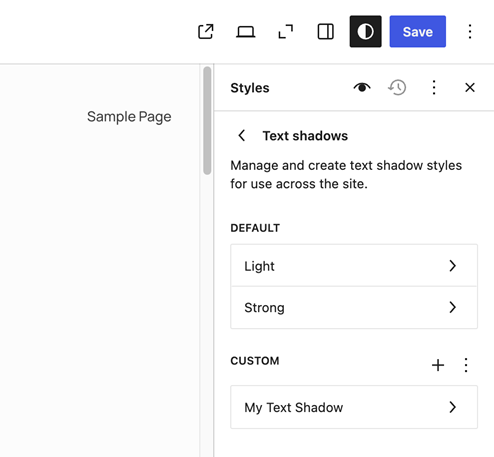
WordPress 7.2 extends text-shadow styling from theme configuration to block-level editing. WordPress 7.1 added styles.typography.textShadow in theme.json; the new release introduces presets and controls in Global Styles and the block inspector. Paragraph and Heading support text shadows by default. Other blocks can enable them with supports.typography.textShadow in block.json.
Themes can define presets through settings.typography.textShadowPresets, specifying a name, slug and CSS value. WordPress also provides Light and Strong presets, which editors can modify or supplement in Global Styles. Each preset generates a CSS custom property and a .has-{slug}-text-shadow class; applying one stores its slug in the block’s textShadow attribute. The inspector control is available for supported blocks, but is initially hidden unless users reveal it or the block enables it as a default control.
The system follows the existing typography cascade: Global Styles override theme defaults, and block-level settings override both. Themes can hide the built-in presets with defaultTextShadowPresets: false, or disable text-shadow support and its presets together. This gives theme developers control over the available design options while retaining consistent preset-based styling across the editor.
Author of the original text: Aki Hamano (Make WordPress Core)