Organize Content with Tabs, Accordions, and Toggles
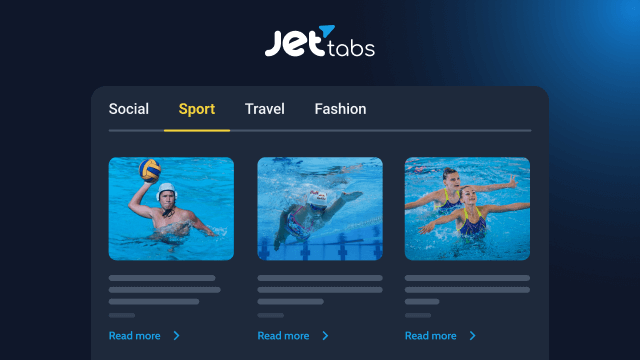
JetTabs is an Elementor addon that lets you build tabbed layouts, accordions, and toggle blocks without writing a single line of code. It’s designed to help you present large amounts of content in a compact, easy-to-navigate way, whether you’re building a WooCommerce product page, an FAQ section, or a service showcase.
Custom Product Tabs for WooCommerce
Break down product pages into clear sections such as descriptions, specifications, reviews, delivery details, or video demos. This keeps product pages organized and helps shoppers find the information they need faster.
Accordions for Long-Form Content
Turn lengthy text into short, collapsible sections. Perfect for FAQs, terms and conditions, or any content-heavy page where readability matters. Choose between horizontal and vertical accordion layouts depending on your design.
Interactive Image Accordions
Showcase images that expand on click or hover — a great option for portfolios, product galleries, and service highlights that need a more visual presentation.
Toggles for Quick Comparisons
Let visitors switch between options with a simple click. Toggles work especially well for pricing plans and side-by-side product comparisons.
Nested Tabs for Complex Structures
Group related sections together and nest tabs inside one another to present detailed information compactly — ideal for content-rich sites and multi-layered Woo product pages.
Performance-Friendly Loading
Content inside tabs can be loaded via AJAX only when a user actually clicks on a tab, reducing initial page load time — especially useful for pages with heavy, complex templates.
Fully Customizable Styling
Adjust spacing, switch between horizontal and vertical views, add icons and badges, apply animation effects (fade, zoom, move up, and more), and fine-tune the tab position. Content can be added manually or pulled from pre-built templates.
Mobile-Ready by Default
All tabs, accordions, and toggles adapt automatically to smaller screens and touch interactions, ensuring a smooth experience on any device.
Works Great with Other JetPlugins
Combine JetTabs with JetEngine to populate tab content dynamically, or with JetWooBuilder to build fully custom WooCommerce shop and product pages.